 ZynkUp
Put all the team's activities in one place
Create a private group, add training, matches/competitions, and social plans, and share open sessions the team can join.
With a private group in ZynkUp, every player gets the team's plan straight in their own calendar — training, matches, competitions, and social activities gathered in one place. No more digging through long message threads for players, coaches, and team managers to find out where to be and when. Here's a short guide — from group to invitation to player.
Create the group
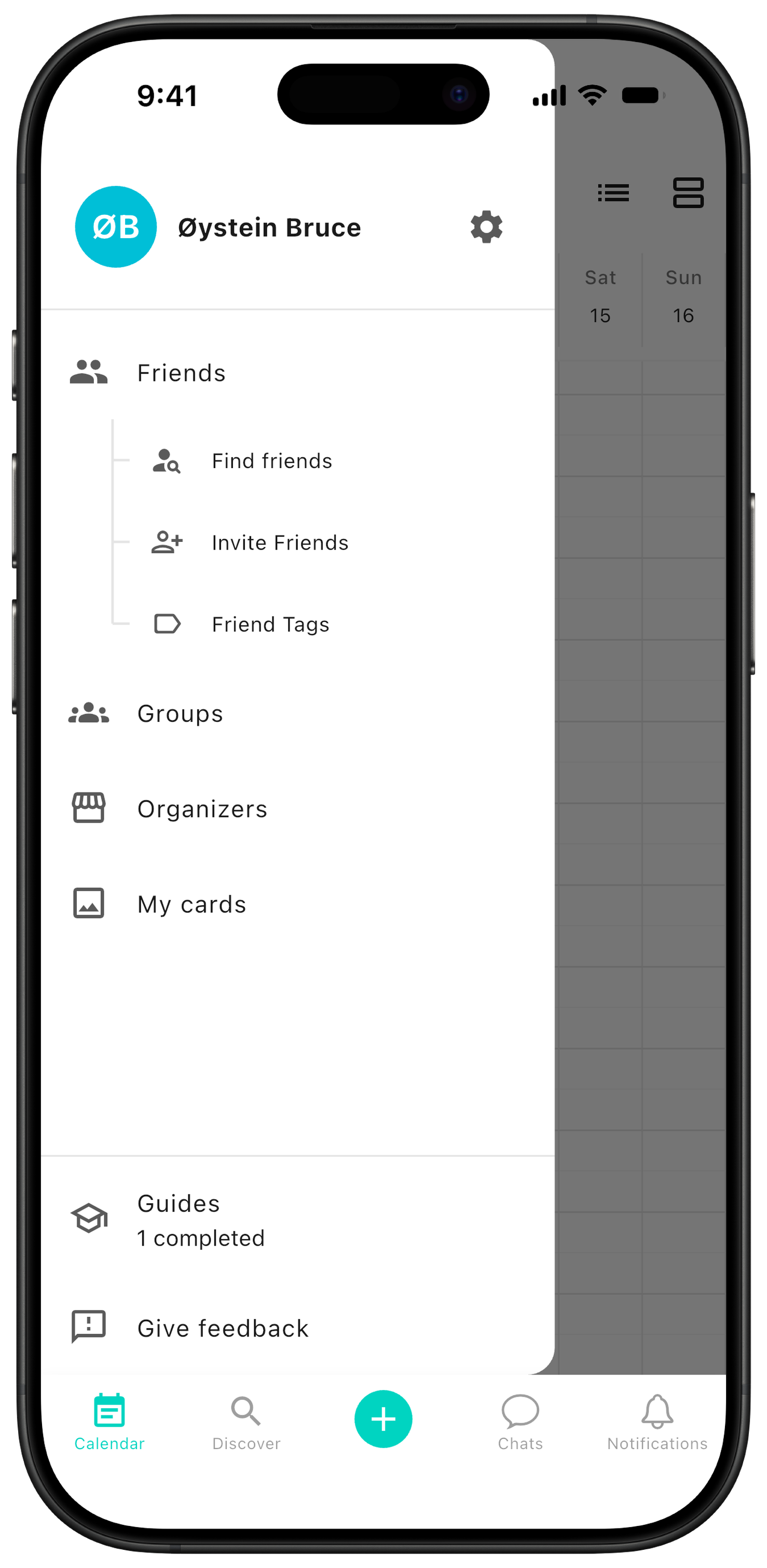
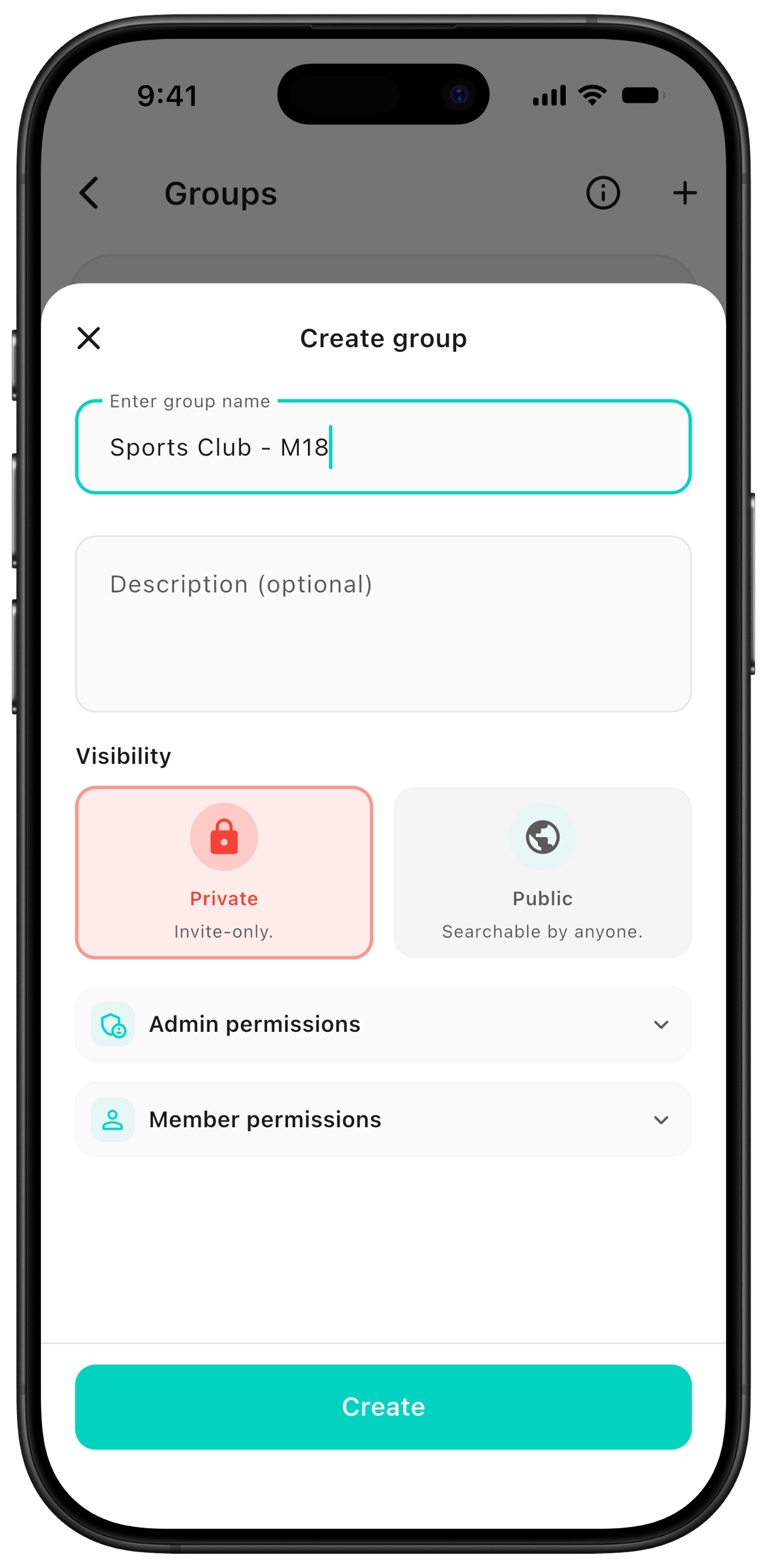
Open the sidebar and go to Groups. Give the group a name, add a description, and choose permissions for admins and members. The group can be for a whole team, an age group, or a training squad.
Recommended visibility: We recommend a private group for teams and clubs, where members need an invitation to join. A public group can be discovered and searched by anyone — choose it only if you need to publish public events.
Create events
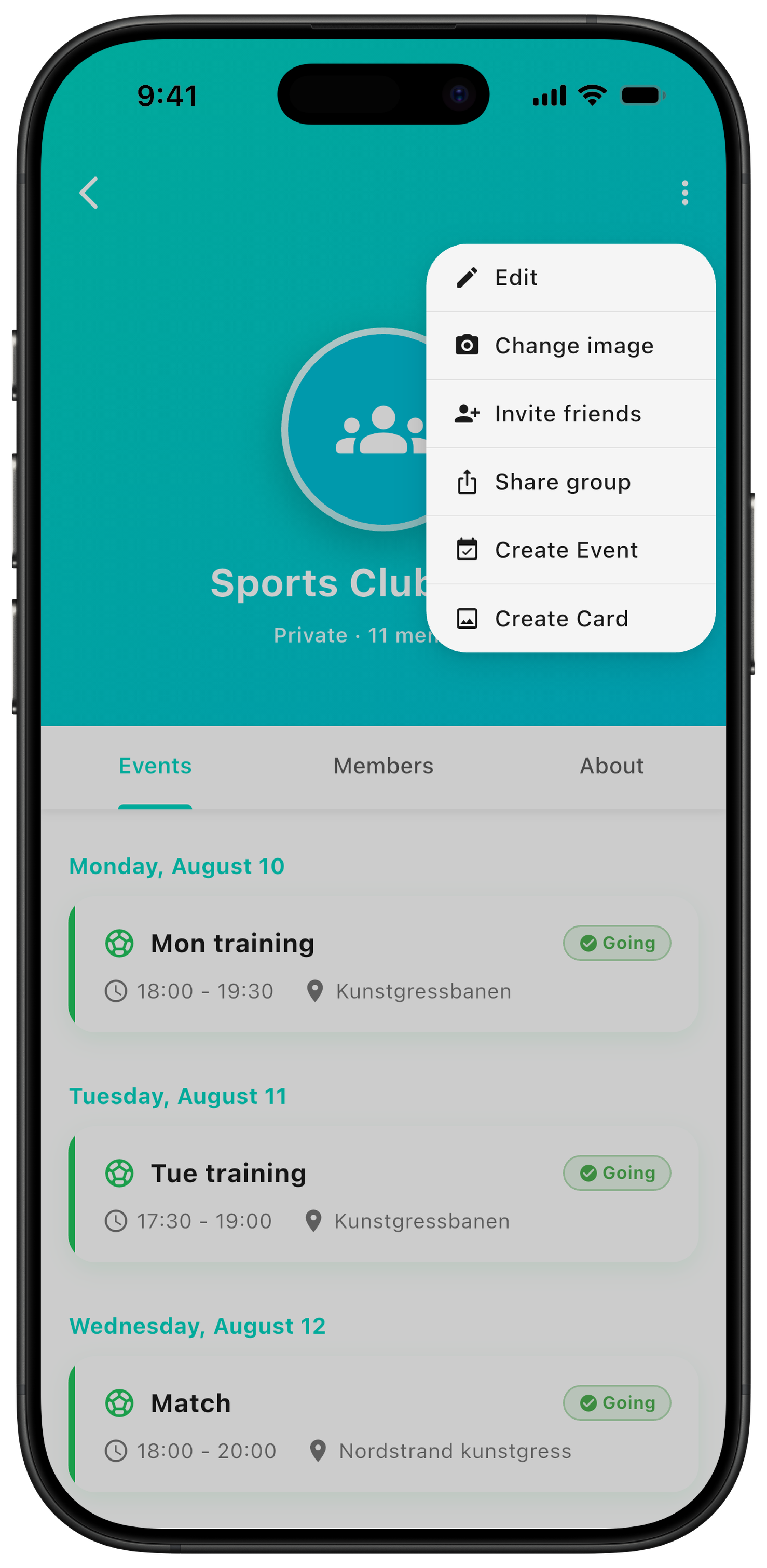
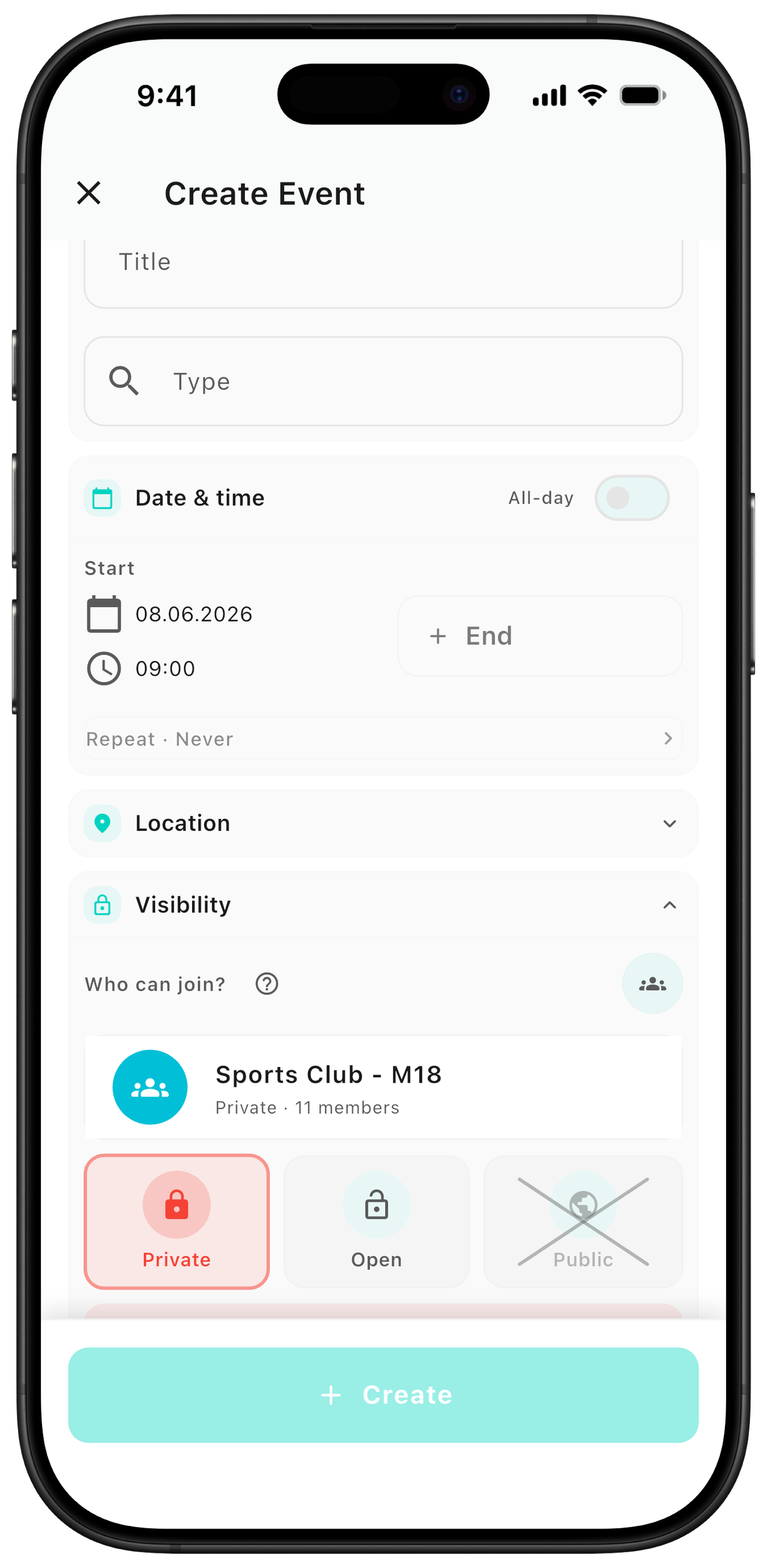
Add training, matches, competitions, and social activities so they land automatically in members' calendars. You create them the same way as regular events — just make sure to choose the team under visibility.
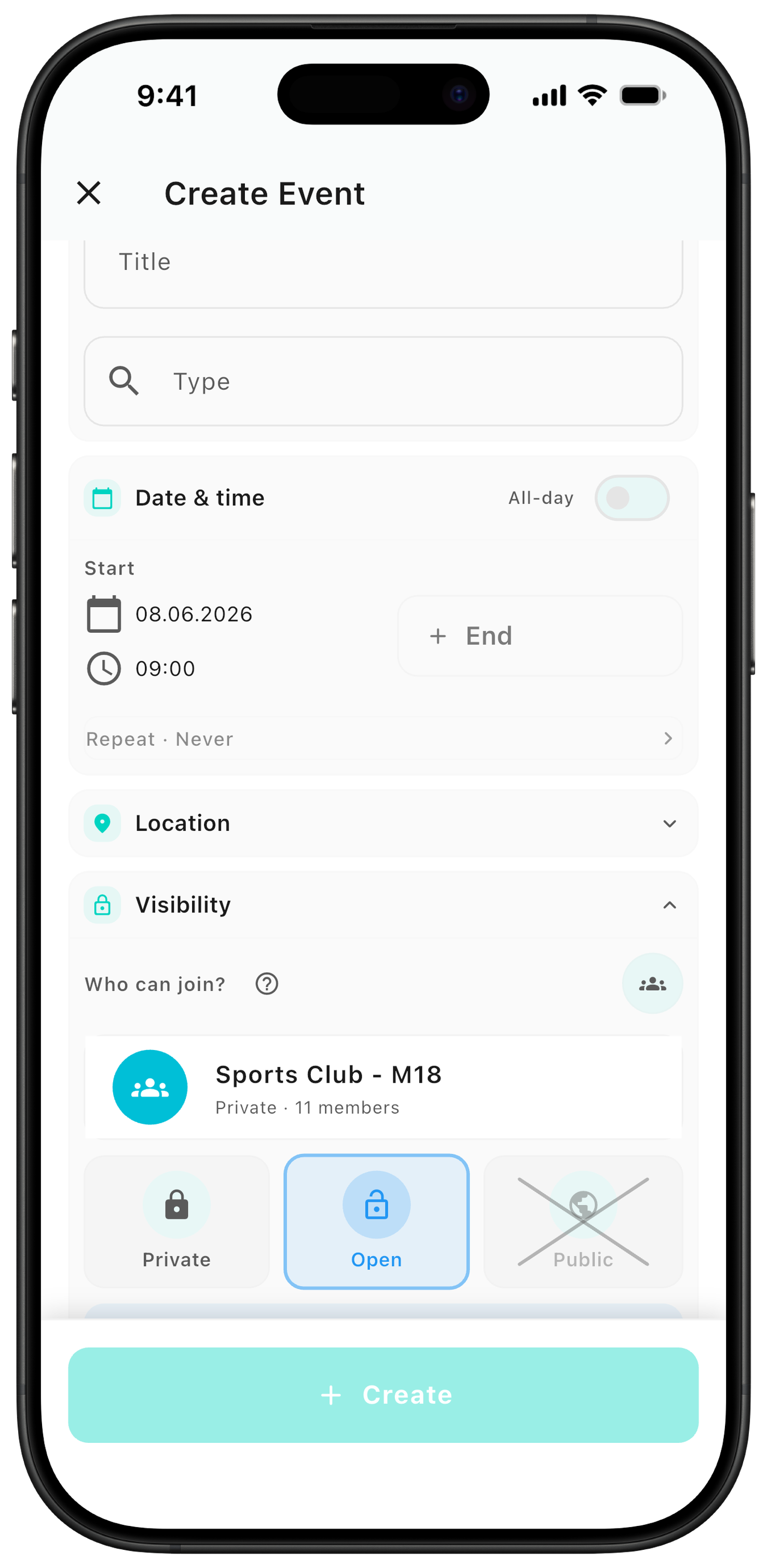
Event visibility: In private groups, events are only visible to members. There are two ways to share them:
Private: use this for the team's set plan — the event is added automatically to everyone's calendar.
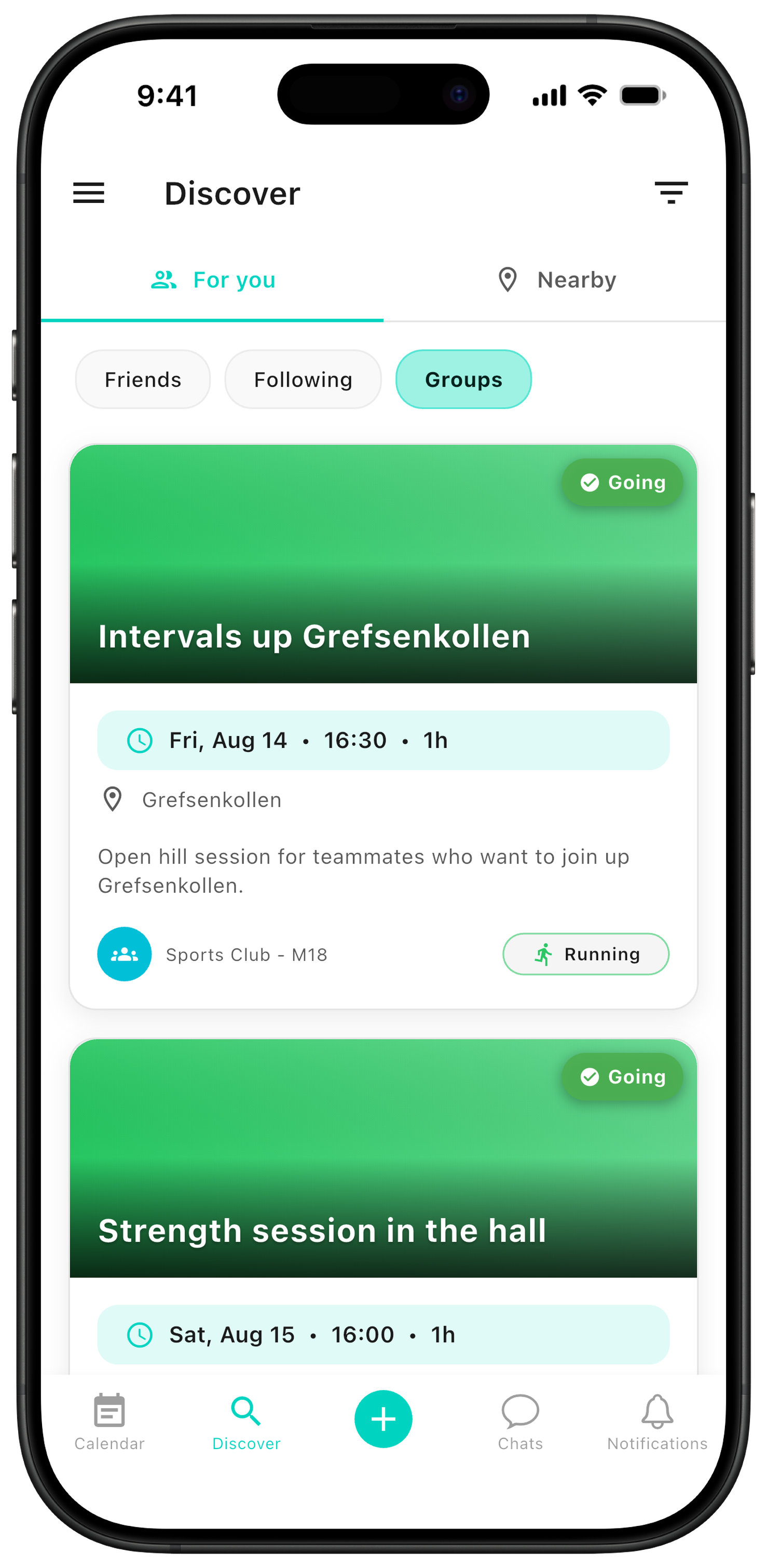
Open: use this for optional sessions or plans outside the set schedule. The event appears in Discover under For you and inside the group, but is not added automatically to the calendar. Here you also choose whether to notify the whole team.
Share open sessions
When someone trains outside the set schedule, the session can be shared openly with the team. Teammates can then join the session without it being added to everyone's calendar.
Tip: open sessions are perfect for spontaneous intervals, an extra strength workout, or an informal training run — optional for everyone, and visible to the whole team in Discover.
Event and chat together
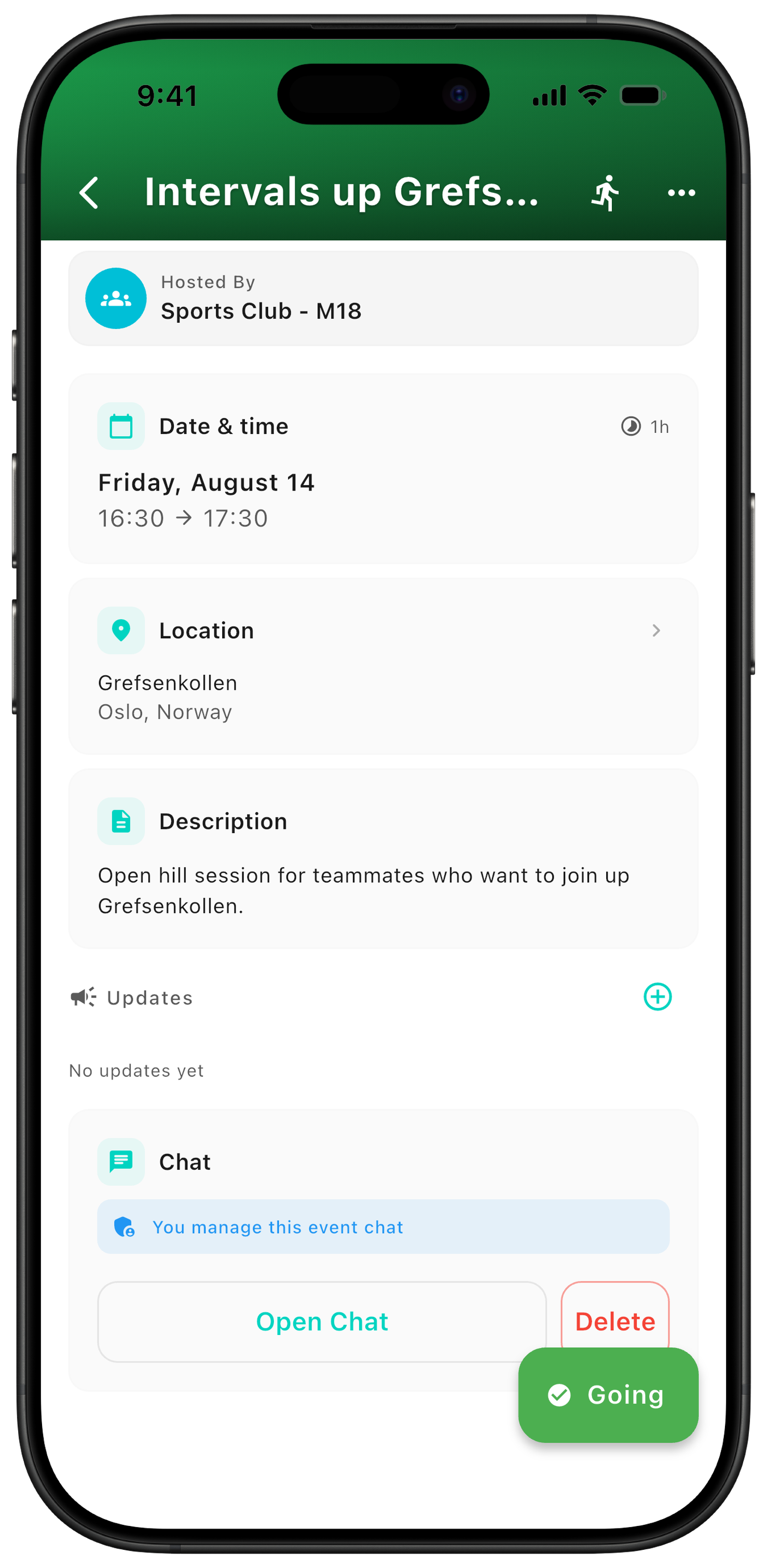
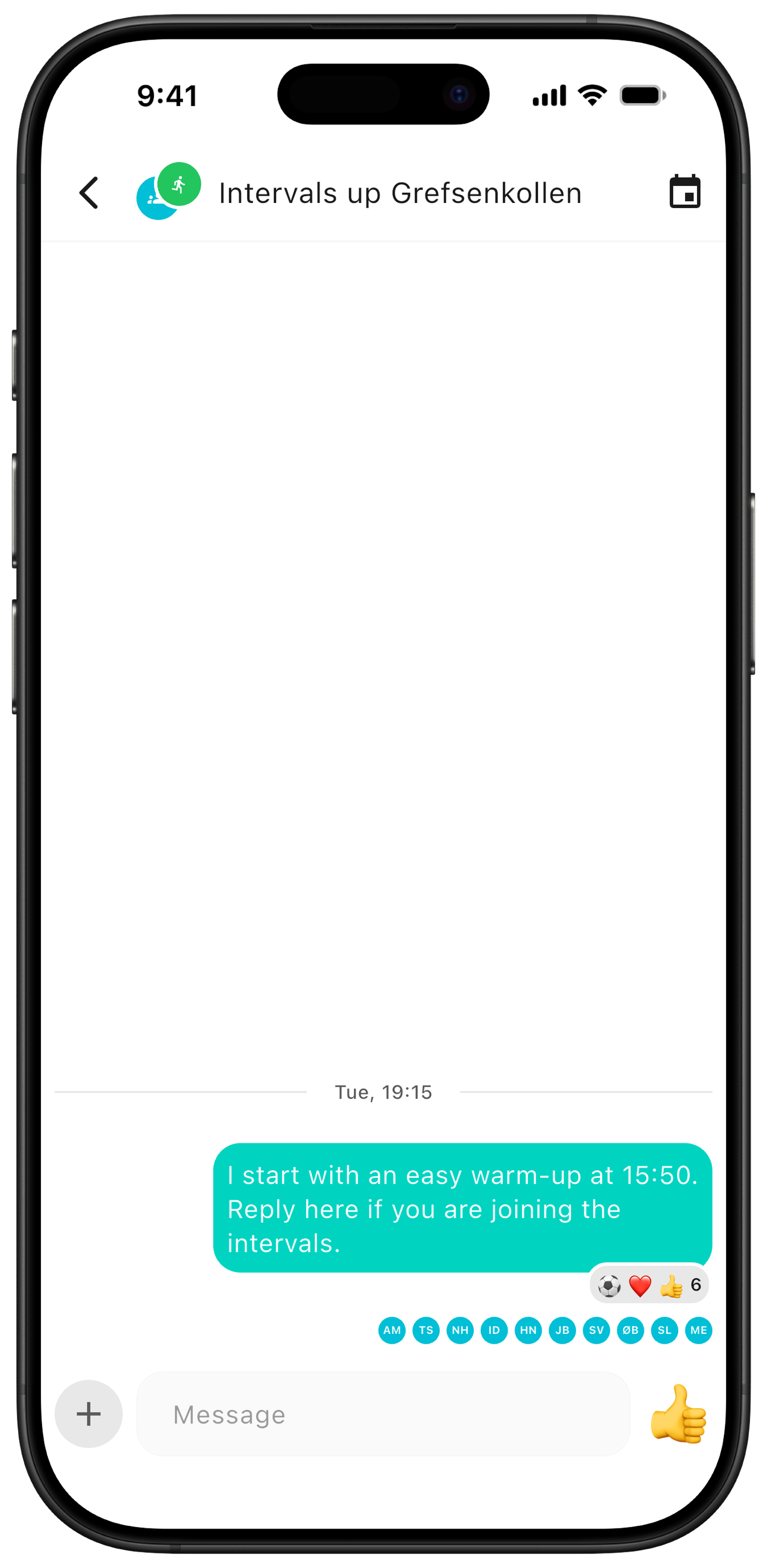
Each event has its own page with time, place, participants, and chat. You can see who's coming and send updates that participants are notified about.
Practical info: the chat belongs to the event, so all messages stay in the right place. That keeps questions about different training sessions and matches out of one big chat.
Everything ends up in the calendar
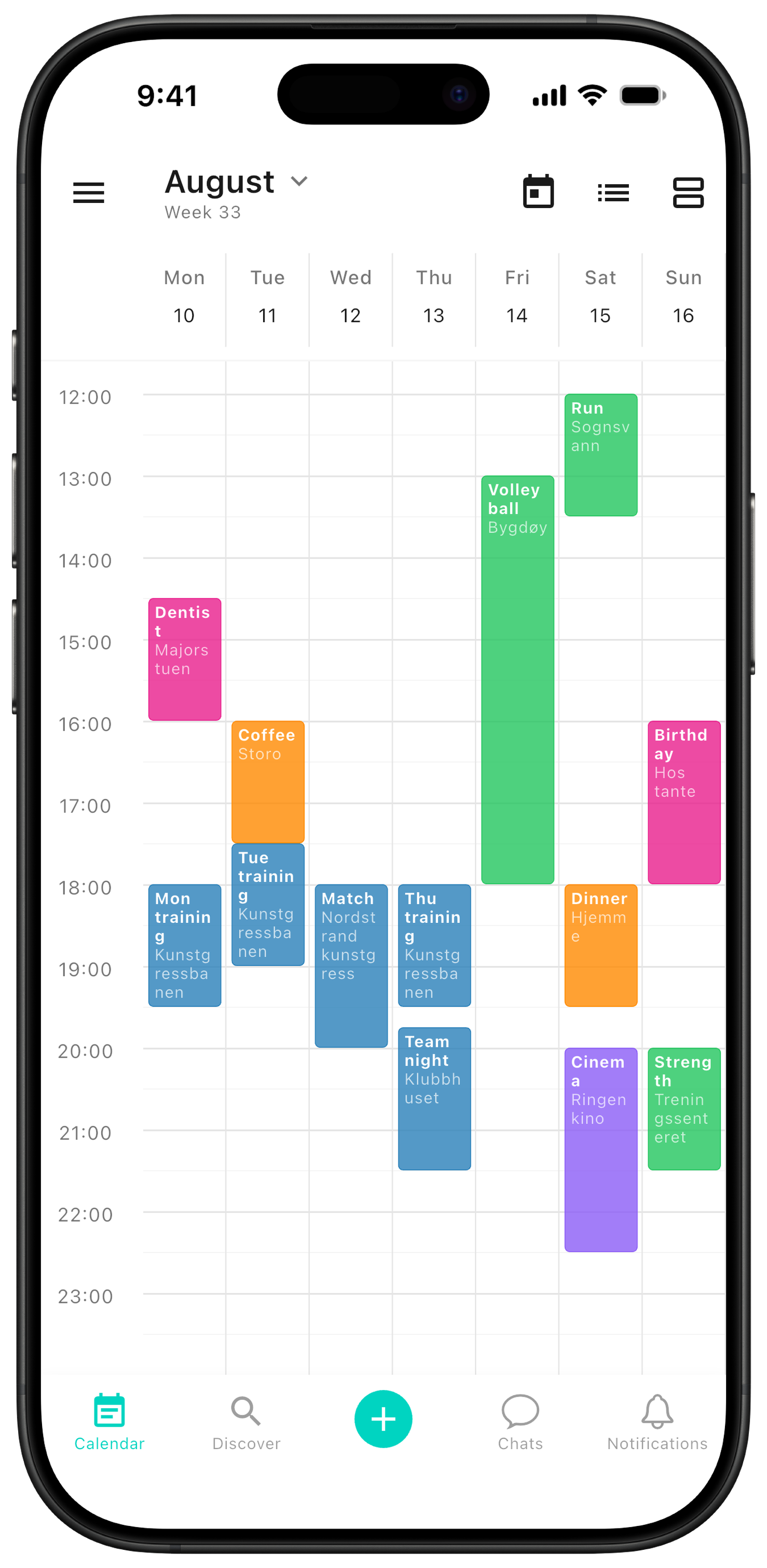
The team's shared plans are added to members' calendars, alongside the plans they already have privately. That makes it easy to keep track of training, matches, and social activities next to the rest of everyday life.
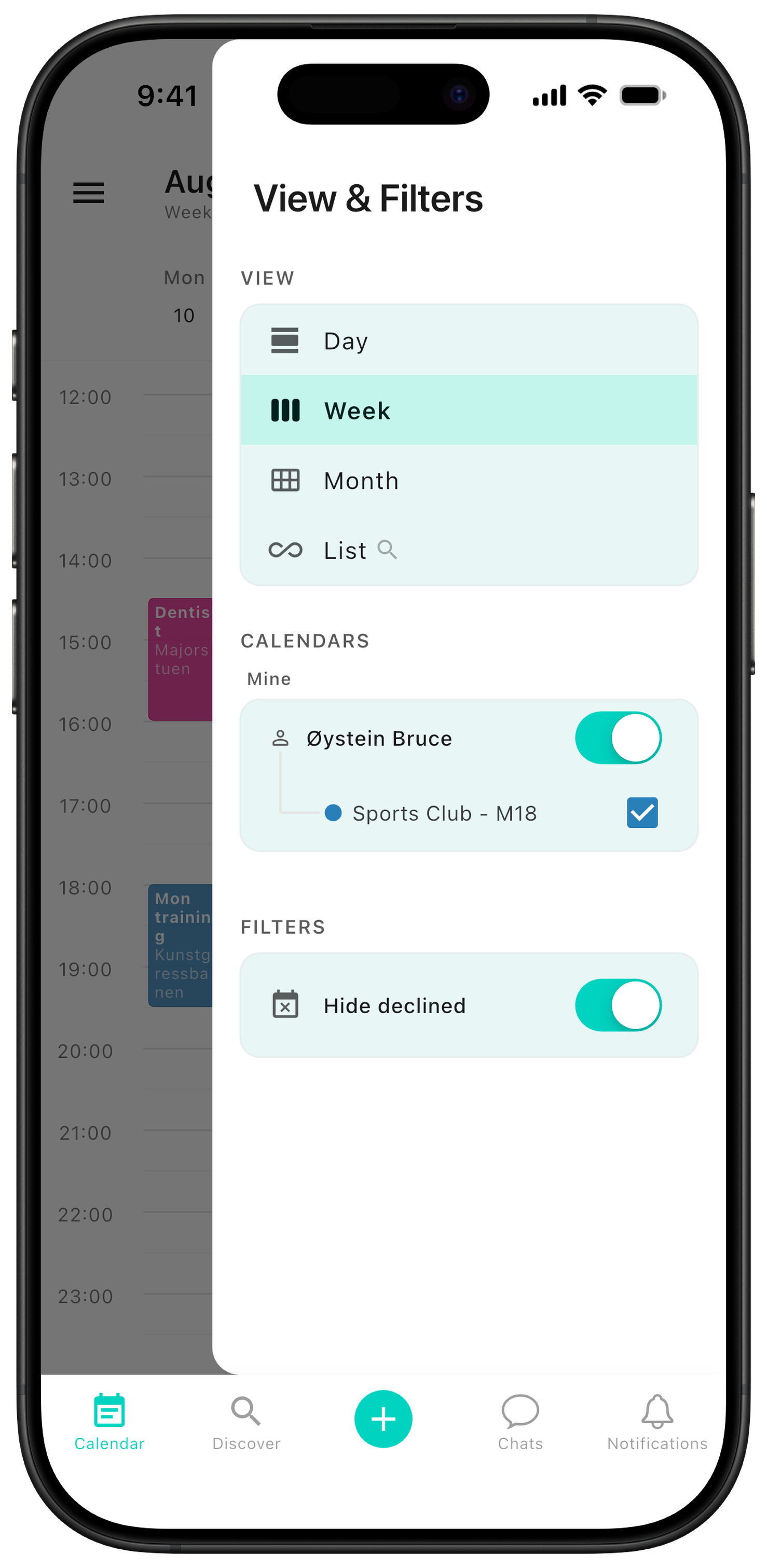
Tip: in the calendar's side menu, players find the group calendar under their own calendar — and can toggle the team's plans on and off as needed.
Want new event types, missing functionality, or running into problems? Send an email to contact@zynkup.no.